
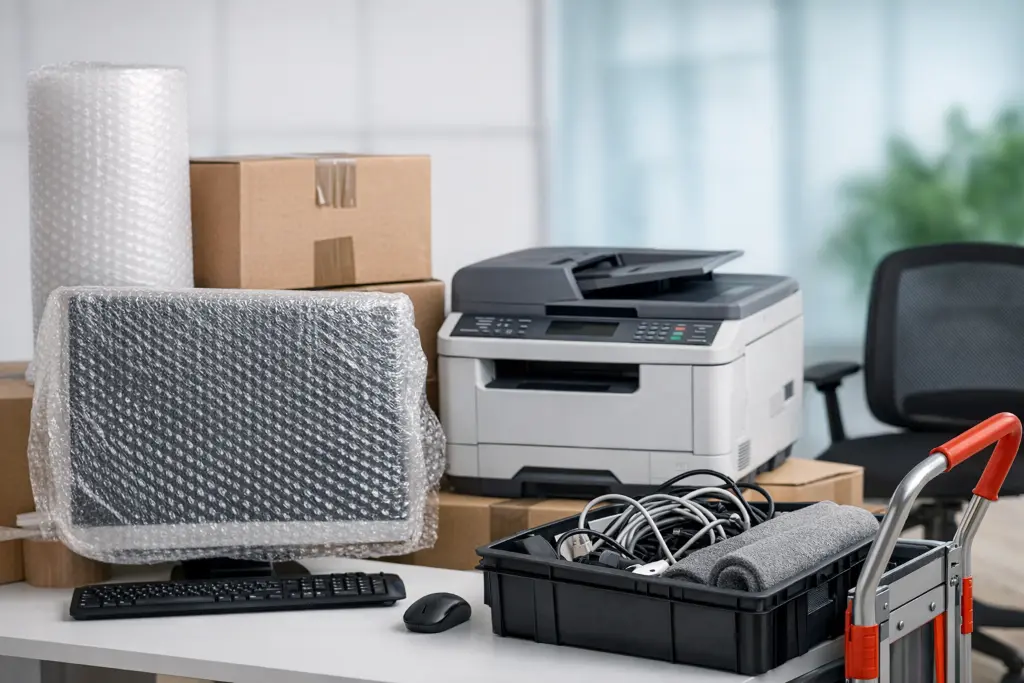
Moving an office is very different from moving a house. Offices have computers, printers, desks, chairs, servers, files, and many other items that are expensive and important for daily work. If office equipment is not moved the right way, it can break, get lost, or stop working.
Many business owners in Melbourne ask the same question:
“How can I move my office equipment safely without damaging anything or stopping work for too long?”
As a Melbourne moving expert, I’ve helped many businesses move offices of all sizes—from small home offices to large corporate spaces. In this guide, I’ll explain how to move office equipment safely in Melbourne, step by step, in a way that’s easy to understand—even for a 5th grader.
Why Office Equipment Needs Special Care?
Office equipment is:
Expensive
Delicate
Essential for daily work
Often connected with cables and systems
Unlike household items, office equipment often includes:
Computers and monitors
Servers and networking gear
Printers and photocopiers
Filing cabinets with documents
Office furniture that must be reassembled
Professional movers and removalists understand that office moves need extra planning and care.
Step 1: Make a Clear Office Moving Plan
Before packing anything, create a simple plan.
What to Include in Your Plan?
Moving date and time
List of equipment
Who is responsible for what
New office layout
Downtime schedule
Planning helps reduce mistakes and keeps everyone on the same page.
Step 2: Take Inventory of All Office Equipment
Write down everything that needs to be moved:
Computers
Screens
Printers
Phones
Cables
Furniture
Documents
Label items clearly so nothing goes missing.
Step 3: Back Up All Important Data
Before moving any IT equipment:
Back up files to the cloud or external drives
Save passwords securely
Shut down devices properly
This step protects your business from data loss.
Step 4: Label Everything Clearly
Clear labelling makes unpacking faster.
How to Label
Use room names (e.g., “Finance Office”)
Label cables and devices together
Mark fragile items clearly
Professional Melbourne removalists always label boxes to make setup easier at the new location.
Step 5: Pack Computers and Screens the Right Way
Computers and monitors are fragile.
Packing Tips
Use original boxes if possible
Wrap screens with bubble wrap
Place screens upright, never flat
Keep keyboards and mice together
Experienced movers know how to protect electronics during transport.
Step 6: Protect Printers and Copiers
Printers and copiers are heavy and delicate.
Before Moving
Remove ink cartridges
Secure loose parts
Wrap tightly with protective padding
Professional removalists have the right equipment to lift and move heavy office machines safely.
Step 7: Handle Cables and IT Equipment Carefully
Cables can easily get tangled or lost.
Best Practices
Label both ends of cables
Place cables in zip bags
Match cables to devices
This saves hours of frustration during setup.
Step 8: Secure Important Documents
Documents should be:
Packed separately
Clearly labelled
Kept upright
Confidential files should be sealed and tracked carefully.
Step 9: Disassemble Office Furniture Safely
Large desks, workstations, and shelves should be disassembled.
Tips
Keep screws in labelled bags
Take photos before disassembly
Wrap parts together
Professional movers reassemble furniture correctly at the new office.
Step 10: Choose the Right Moving Time
Office moves should be planned:
After business hours
On weekends
During quieter periods
This reduces downtime and keeps work running smoothly.
Step 11: Hire Professional Office Movers and Removalists
Office moves are not DIY-friendly.
Professional movers and removalists offer:
Trained staff
Proper equipment
Insurance options
Fast and safe transport
In Melbourne, experienced removalists understand office buildings, parking rules, and lift bookings.
Why Melbourne Businesses Trust Professional Removalists?
Local Melbourne removalists know:
CBD access rules
Building management procedures
Traffic patterns
Safety regulations
This local knowledge helps avoid delays and damage.
Common Office Moving Mistakes to Avoid
Not backing up data
Poor labelling
Using weak boxes
Moving without a plan
Hiring untrained movers
Avoiding these mistakes protects your business.
Benefits of Hiring Professional Office Movers
Less downtime
Fewer damaged items
Faster setup
Lower stress
Better safety
Professional movers let your team focus on work instead of lifting.
Why Best Ozi Movers in Melbourne Are the Right Choice?
When it comes to office relocations, experience matters.
Best Ozi Movers in Melbourne are considered among the best Melbourne removalists because they:
Specialise in office moves
Handle equipment carefully
Plan moves efficiently
Understand Melbourne buildings
They help businesses move safely and quickly.
Are You Planning an Office Move in Melbourne?
Protect your equipment and avoid downtime. Trust Best Ozi Movers in Melbourne—widely considered the best Melbourne removalists—for a safe, efficient, and stress-free office relocation.
FAQ’s About How to Move Office Eequipment Safely in Melbourne
1. How far in advance should I plan an office move?
At least 1–2 months for small offices and longer for large offices.
2. Should I move office equipment myself?
No. Office equipment is heavy, fragile, and expensive. Professional movers are safer.
3. How do movers protect office equipment?
They use padding, proper boxes, lifting tools, and secure loading methods.
4. Can office moves be done after hours?
Yes. Many Melbourne removalists offer after-hours and weekend moves.
5. Is insurance included for office moves?
Most professional movers offer insurance options. Always ask before booking.